
Deploy Docker applications, databases, domains, certificates, backups, and scheduled jobs from one panel, CLI, API, assistant, or MCP server. Connect servers into a fleet and preview risky changes before they run.
Isolated, persistent deployments from one interface, every config a plain file on your own machine. No per-site fees, no vendor lock-in, full data sovereignty.
Run your product on infrastructure you own. Ship from CI with standard Docker Compose, scale across nodes, and keep full API control as you grow.
Standardize how internal apps get deployed. Full API and CLI automation, role-based access, and complete data sovereignty on your own hardware.
Run every client site from one panel: one-click deploys, staging environments, and white-label hosting, with no per-site or per-domain fees.
Resell hosting and keep the margin. Cluster nodes, manage hundreds of sites, and automate through the API and CLI, with no per-account license tax.
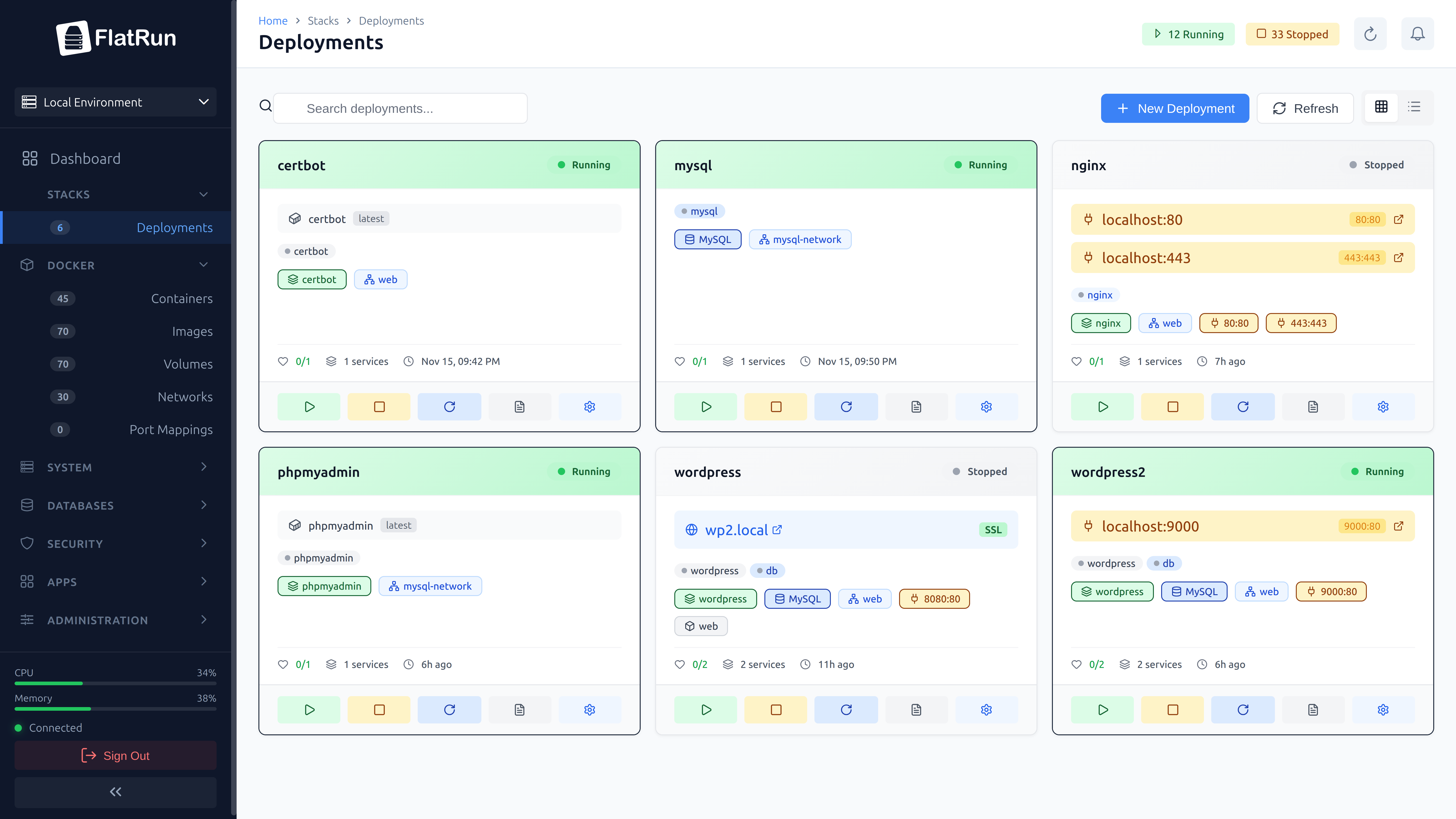
A clean, modern interface for managing all your deployments
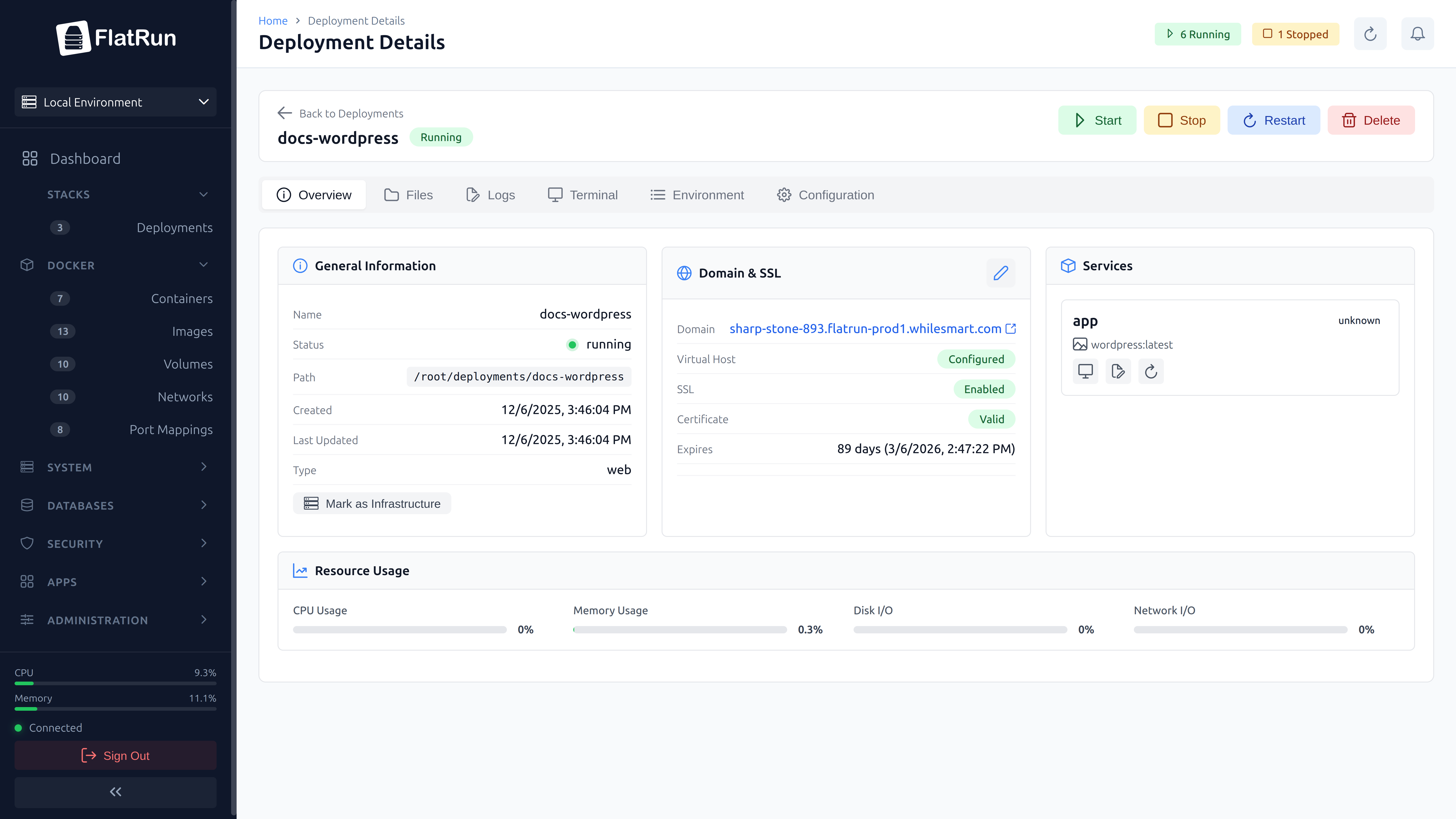
Full container control with logs, shell access, and file management
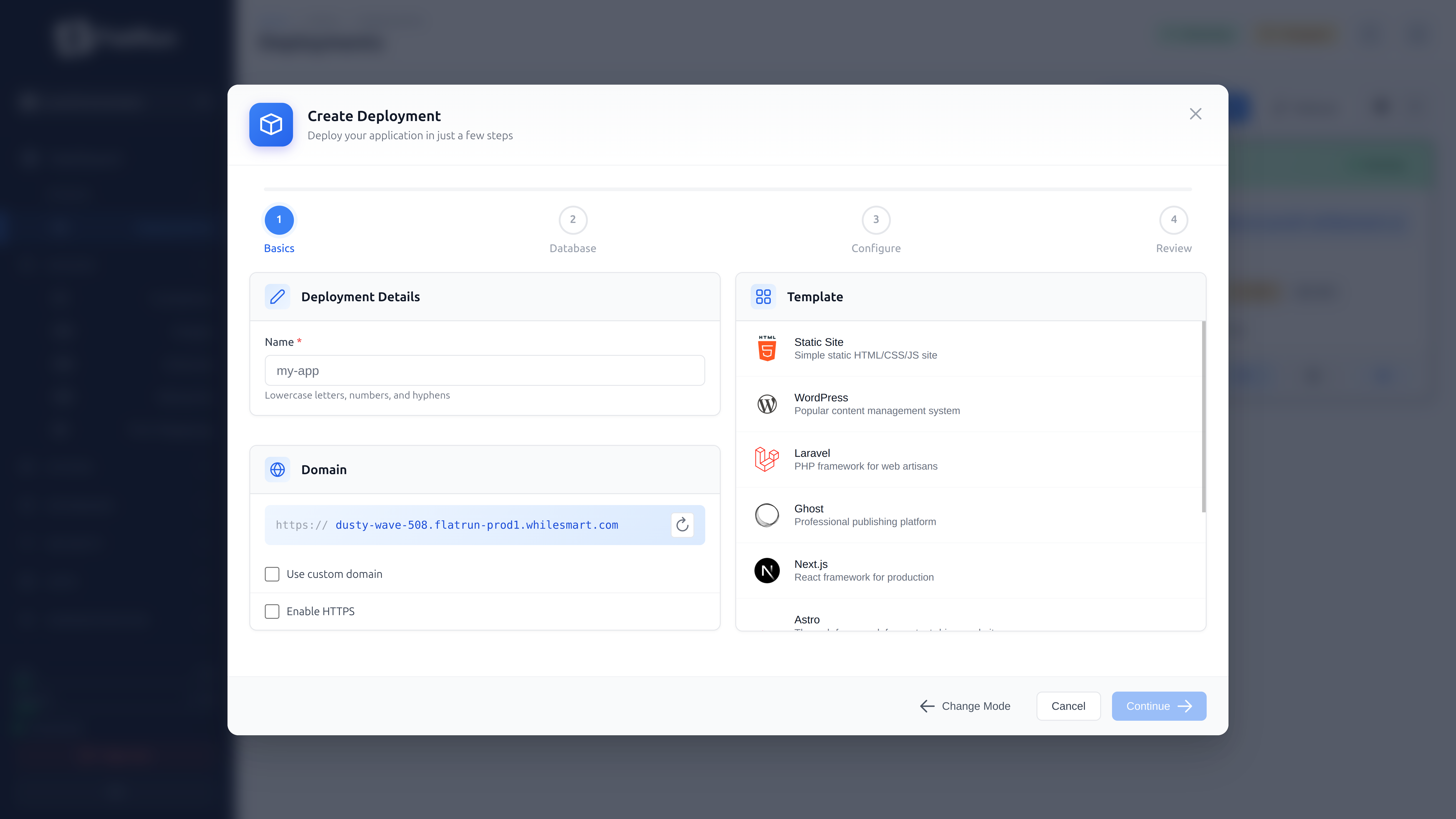
Deploy containers in seconds, from templates or your own image
Everything a deployment platform should do, running on infrastructure you control.
Deployments remain standard Compose projects and bind-mounted data. Supporting state uses local files, including SQLite, with no external control database required.
Built on Docker from day one. Standard compose files, portable containers, zero vendor lock-in.
Start WordPress, Node.js, Python, and other stacks from reusable templates.
Create databases, manage users, run queries. MySQL, MariaDB, and PostgreSQL built-in.
Point domains to containers with automatic Nginx configuration. No manual config files.
Issue, renew, inspect, and track certificates for routed domains.
CPU, memory, network, and disk collected on OpenTelemetry conventions, with no extra database to run. Alert rules watch a threshold over time, tell you which container is to blame, and can restart the deployment themselves. Push to any OTLP backend or scrape it with Prometheus.
Automate everything. Integrate FlatRun into your existing tools and workflows.
Upload files and folders, push site bundles, copy or move content, and inspect or extract archives.
Follow any deployment as it writes, one service at a time, or read the application's own log files. The proxy's access log is there too, filtered down to a single site.
Open terminal sessions to containers directly from your browser.
Self-hosted by design. Your data stays on your servers, in your jurisdiction. GDPR-ready out of the box.
Inspect deployments, logs, and configuration, then propose or apply fixes through the same permissions as the panel. Bring your own model.
Drive everything from the flatrun CLI and the official GitHub Action. Ship on every push from any compatible runner with one command.
Ask any change for a preview and get back what it will do: every resource, before and after, with secrets redacted. Apply it when you agree. If a file moved underneath in the meantime, the apply is refused instead of overwriting someone's work. Deployments can be set to require it.
Scheduled backups with retention and one-click restore, mirrored to S3-compatible storage. Bring your own bucket, or let FlatRun deploy an object store on the host and use that. Restores still work after the local copy is pruned.
Give a contractor one deployment and read-only on the rest. Granular permissions, per-deployment scoping, API keys, and a record of who changed what.
Federate multiple FlatRun servers and manage their deployments from a single panel. One invite, encrypted peer keys, no shared database.
Measure host and container limits, adjust supported workloads, and place replicas on permitted Fleet capacity through Swarm or K3s.
Turn related failures into one incident, route it to selected targets, and send useful updates without one email per deployment.
Define an agent in plain markdown or ask the assistant to write it. The runtime uses permissioned tools and approval policies, while MCP gives external agents the same governed operations. Version each agent in git and read it in any editor.
Compare FlatRun with hosting panels and self-hosted deployment platforms
| Feature | FlatRun | Coolify | Dokploy | CapRover |
|---|---|---|---|---|
| Official CLI | Yes | Yes | Yes | Yes |
| Multi-server deployments | Fleet | Yes | Yes | Swarm |
| Built-in load balancing | Nginx or Traefik | External for standalone servers | Traefik on Swarm | Nginx on Swarm |
| Policy-driven autoscaling | Yes | Manual capacity decisions | Replica controls | Replica controls |
| Review changes before apply | Yes | No | No | No |
From a new server to a managed deployment
One command installs FlatRun. Single Go binary, no dependencies, no complex setup.
Use a template or bring your own docker-compose. Every deployment is a standard compose file on disk, nothing proprietary.
Domains, SSL, databases, files, all from one interface. No lock-in, export anytime.
One-click stacks, templates, and plugins from the community, installed as plain Docker Compose in your own directories. No black boxes, no lock-in.
FlatRun is built by a small team in the open. Join the community to stay in the loop : we occasionally share security updates, new features, and hosting tips.
Star on GitHubThe self-hosted deployment platform, in plain terms.
Yes. FlatRun gives you push-button deploys, managed databases, automatic SSL, and domain routing, the core of a platform like Vercel, Render, or Railway, but it runs on your own servers. You keep full control of your data and infrastructure, with no per-seat pricing and no usage bill that grows with your traffic.
Yes. FlatRun is Docker-native and has no per-account or per-domain license caps. Host unlimited sites on a single server without buying a bigger tier every time you add a client, the cap-and-upsell model cPanel and Plesk are known for.
Yes. A built-in assistant uses tool calling to inspect your deployments, logs, and config, explain what it finds, and propose fixes. Every action runs under governance you set: policies decide what runs freely, what needs your sign-off, and what never runs. You bring your own model, so your data and keys stay under your control. The same tools are also exposed over a standard MCP server, so any MCP-compatible agent can operate the server under the same governance.
An agent is a plain markdown file describing work the server can do: read logs, fix config, run actions. FlatRun's runtime executes it through the same governed tools as the assistant and the MCP server, so an agent does only what your policies allow. Create one by writing the file, in the panel or any editor, or by describing what you want to the assistant and letting it write the file for you.
Yes. Every deployment is a standard docker-compose.yml on disk. There's
nothing proprietary, if you ever stop using FlatRun, your containers keep running with
plain Docker commands.
Yes. The flatrun CLI and the official GitHub Action deploy on every push,
from GitHub Actions or any compatible runner.
Barely there. The agent is a single ~15MB Go binary with no runtime dependencies, it starts instantly and idles on minimal CPU and memory, so it runs comfortably on a small VPS alongside your apps.
Yes, MIT licensed, with no license fees and no per-site costs. Self-host it on as many servers as you want.
Install FlatRun on your own server and ship your first deploy in minutes. No license keys, no metered bills, no per-seat or per-site fees.